游戏介绍
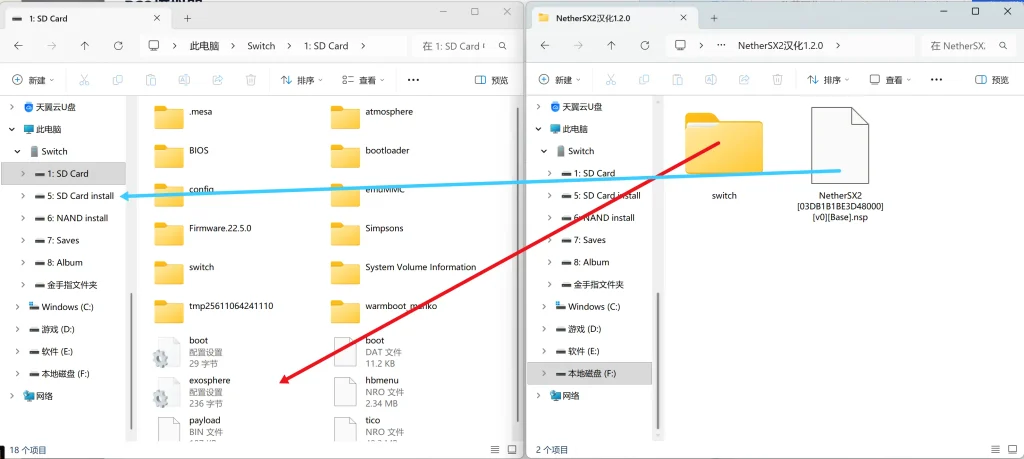
一.工具安装
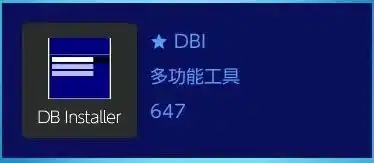
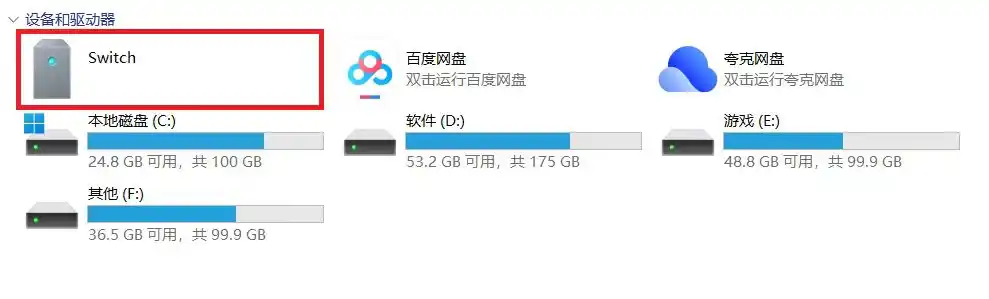
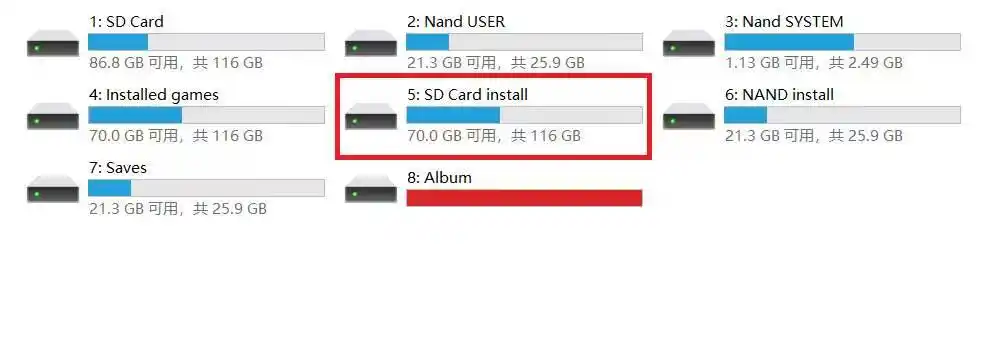
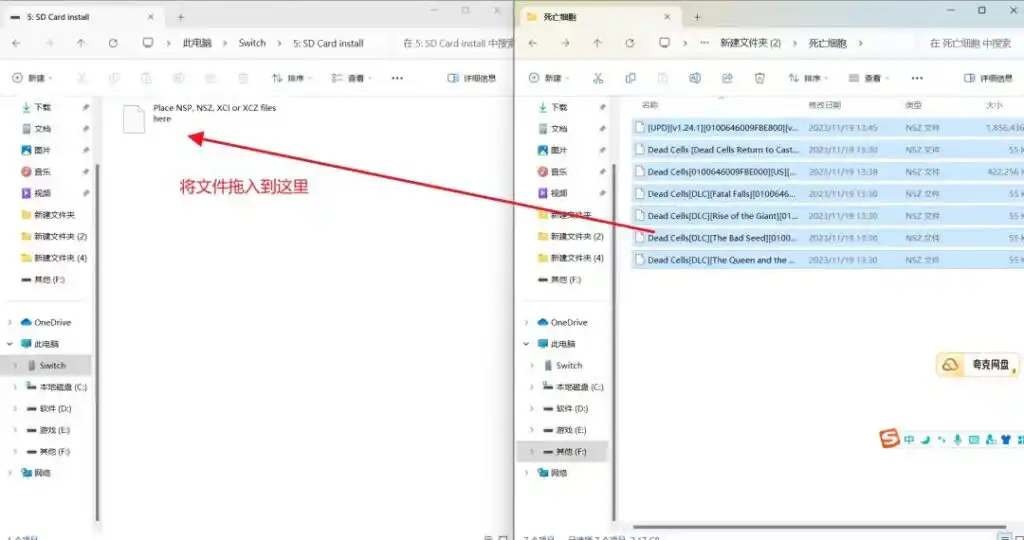
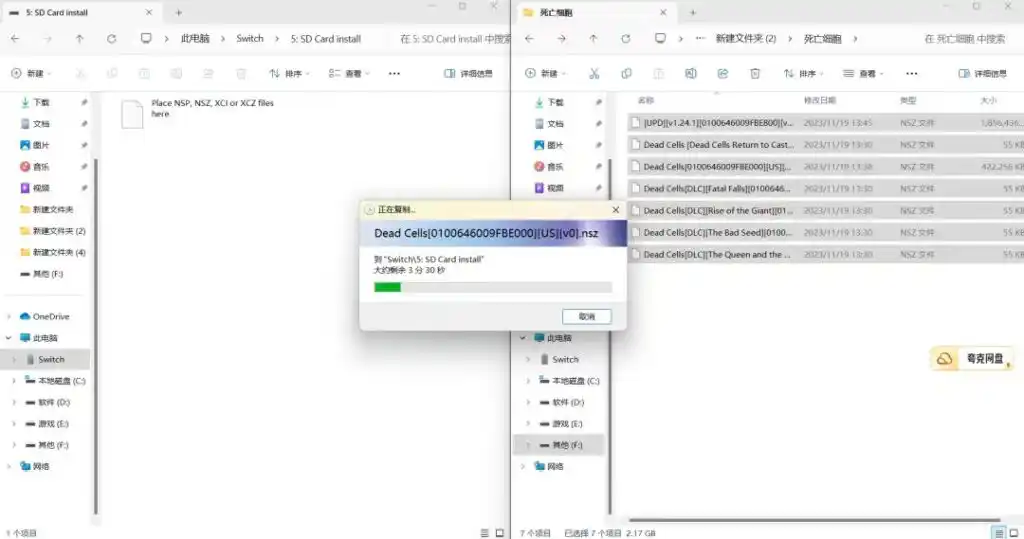
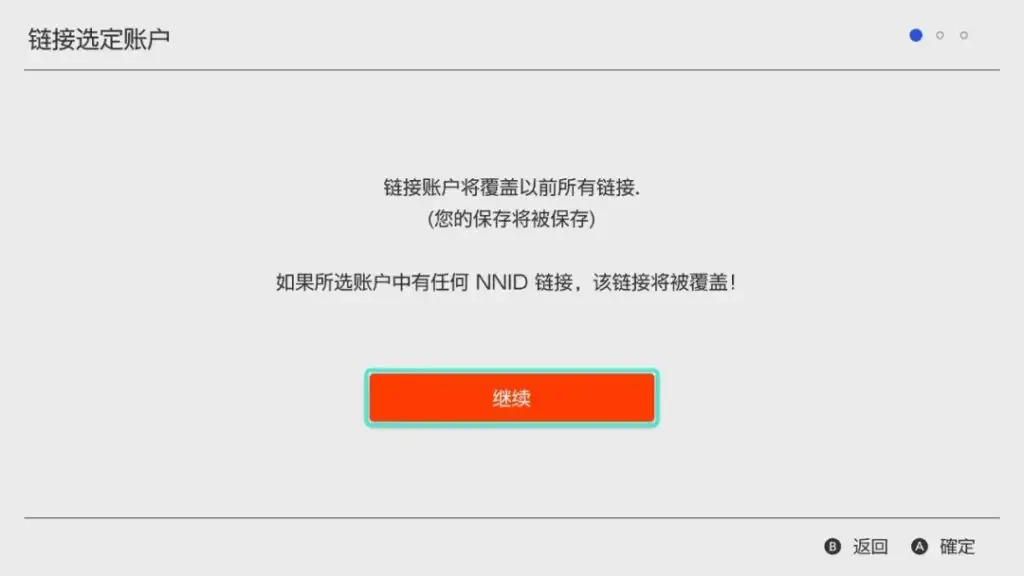
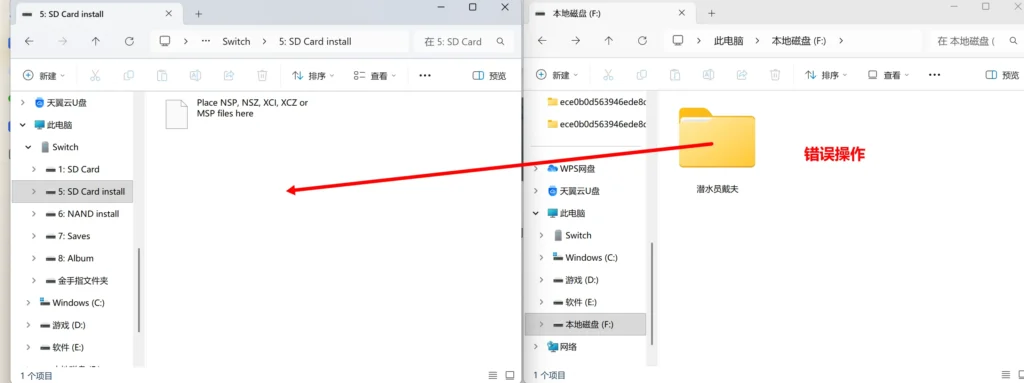
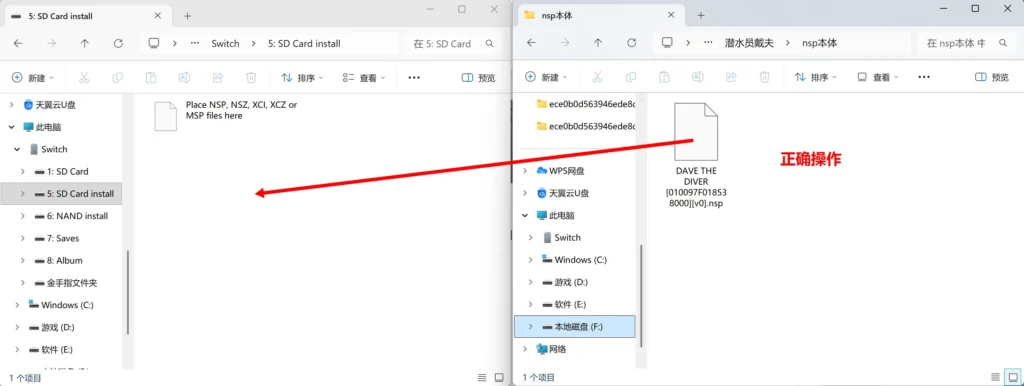
下载压缩包解压后Switch文件夹覆盖到1盘根目录nsp前端拖入5盘安装
![图片[1]-[NS]NetherPX2[PS2模拟器]-猫叔电玩](https://cdn.mst20.cn/maoshu/2026/11/20261113040729487.webp)
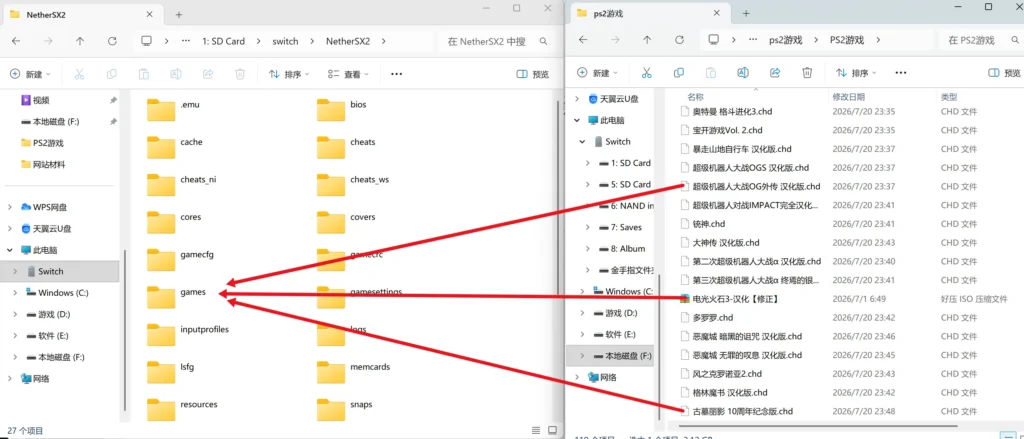
二.PS2游戏安装
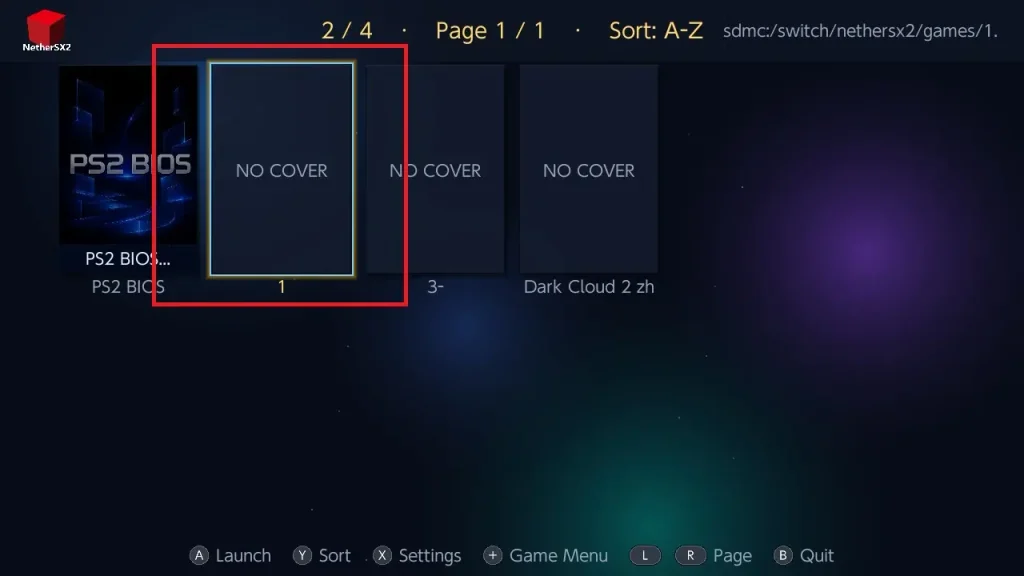
将下载的PS2游戏文件放到指定文件夹里 路径: Switch / NetherSX2 / games / 文件夹下
![图片[2]-[NS]NetherPX2[PS2模拟器]-猫叔电玩](https://cdn.mst20.cn/maoshu/2026/11/20261113040812539-1024x439.webp)
三.游戏运行
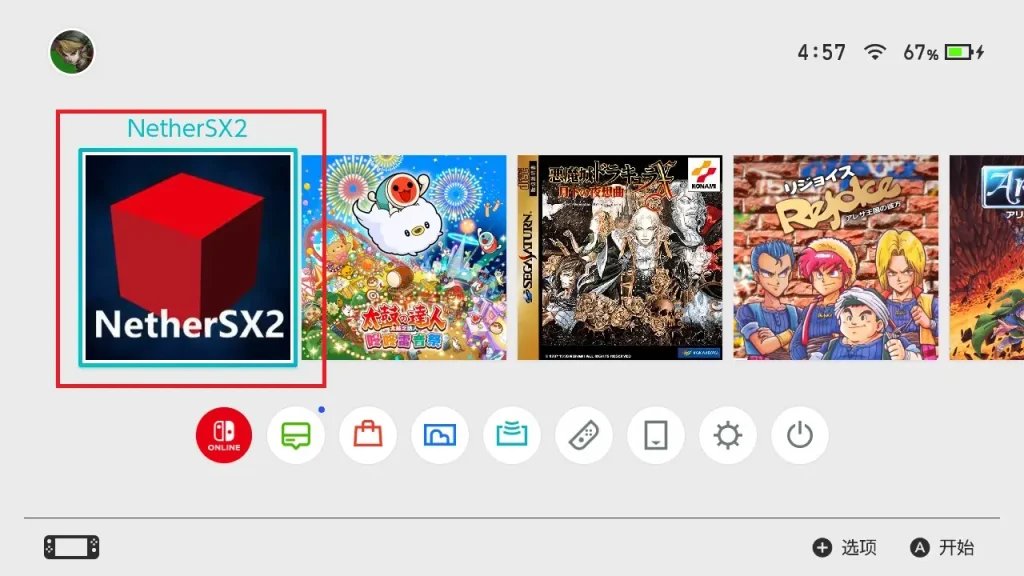
回到桌面打开NetherSX2前端
![图片[3]-[NS]NetherPX2[PS2模拟器]-猫叔电玩](https://cdn.mst20.cn/maoshu/2026/11/20261113040844215.webp)
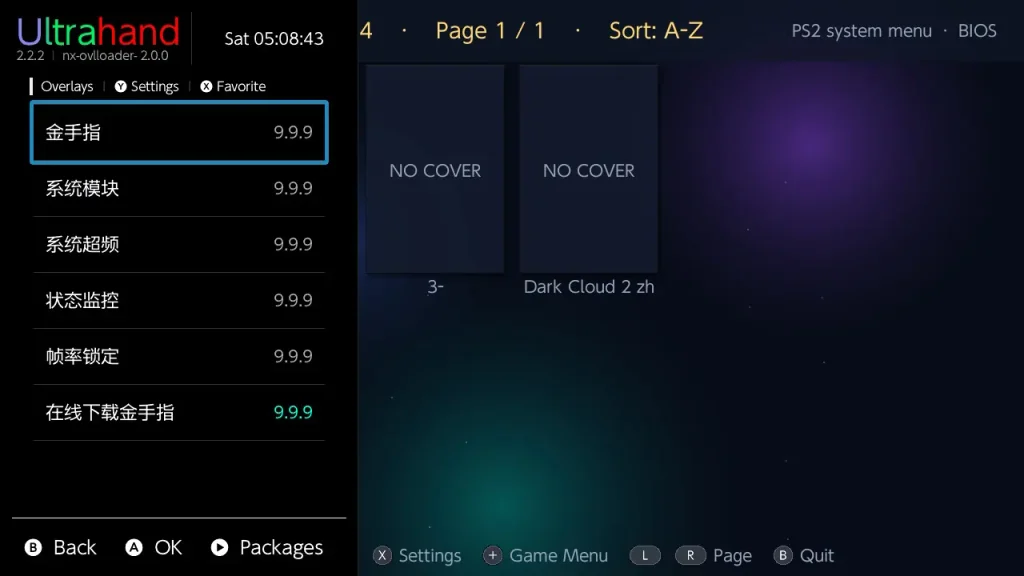
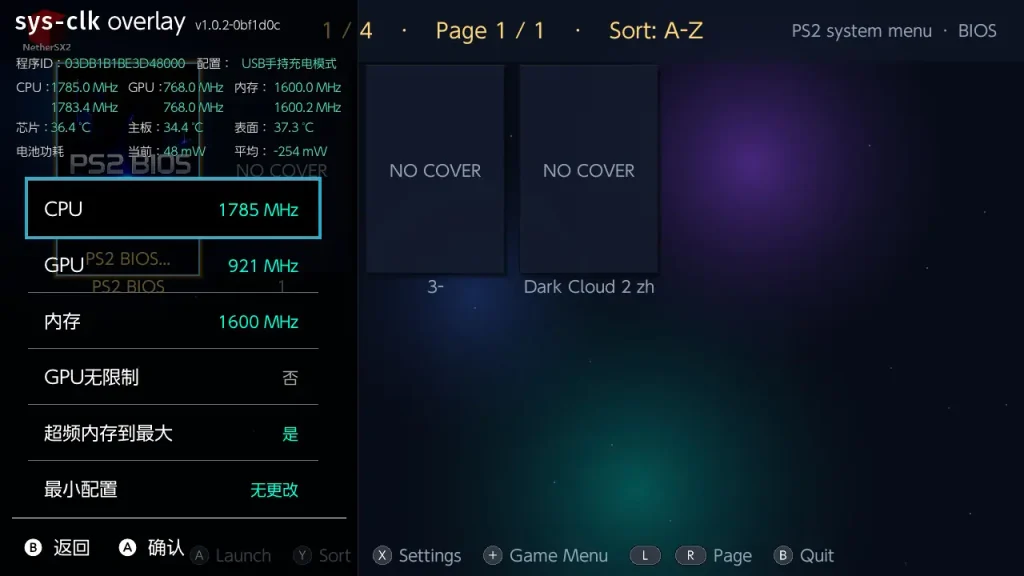
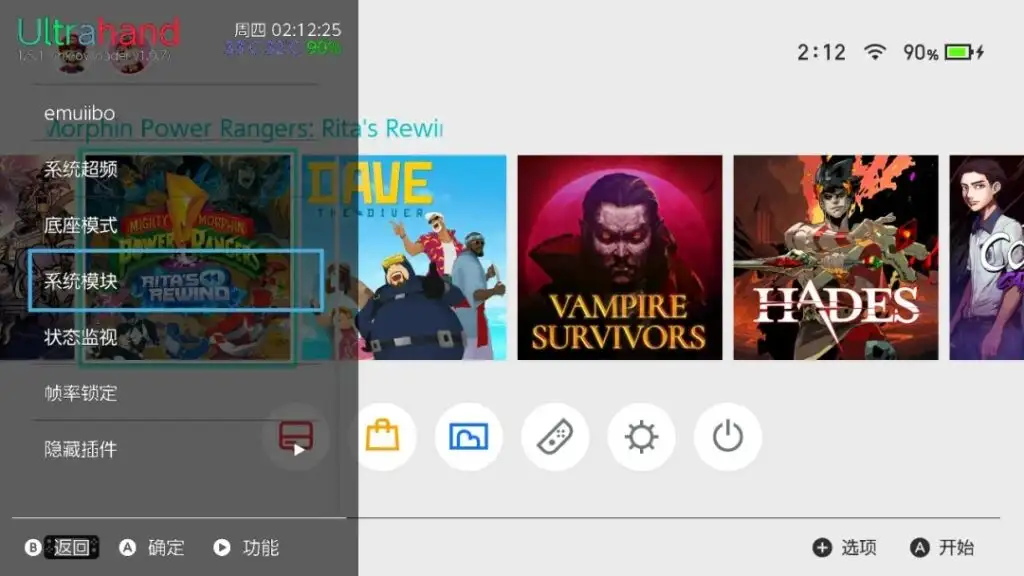
打开后调出特斯拉浮窗[L+R+▼]
![图片[4]-[NS]NetherPX2[PS2模拟器]-猫叔电玩](https://cdn.mst20.cn/maoshu/2026/11/20261113040926438.webp)
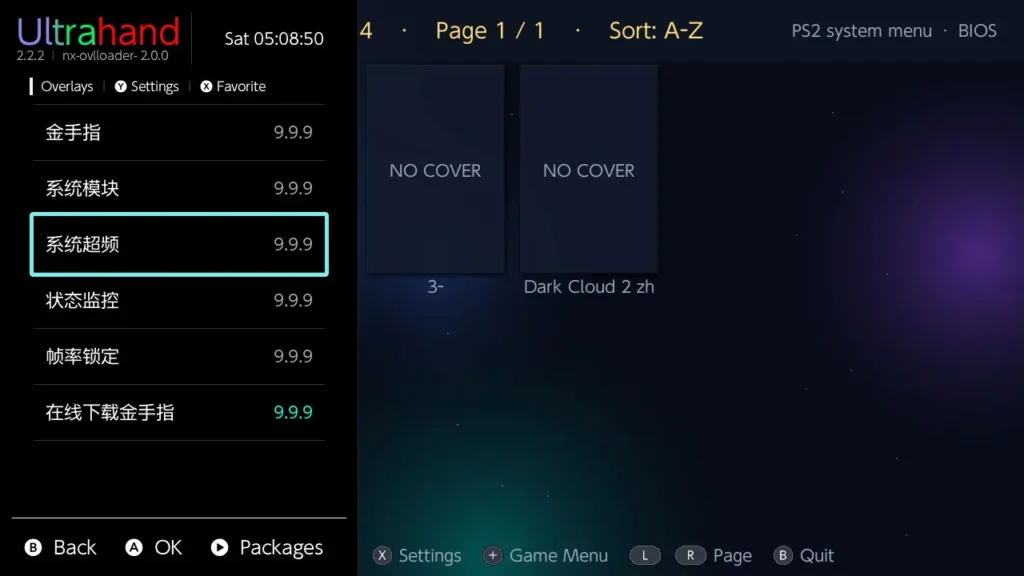
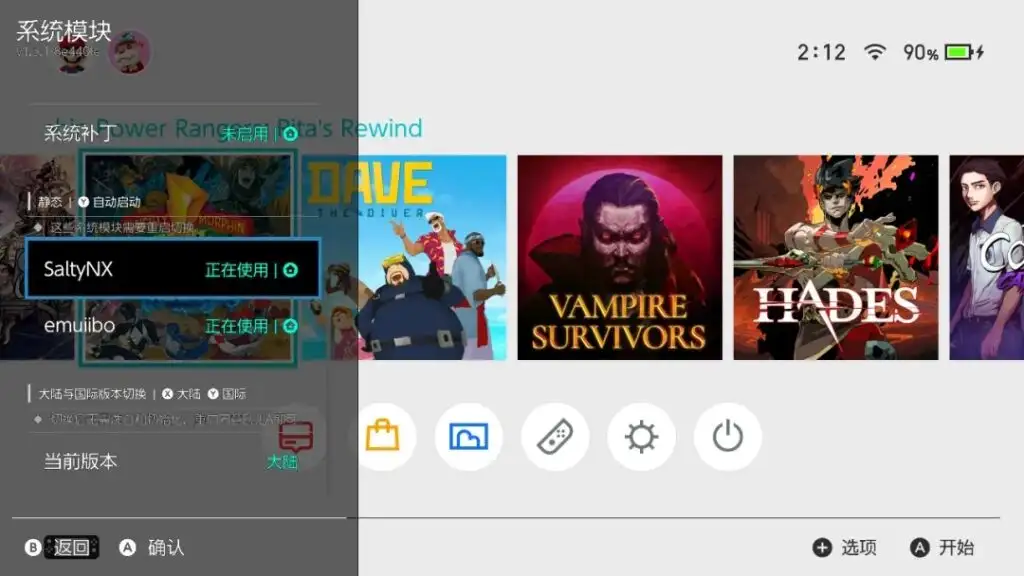
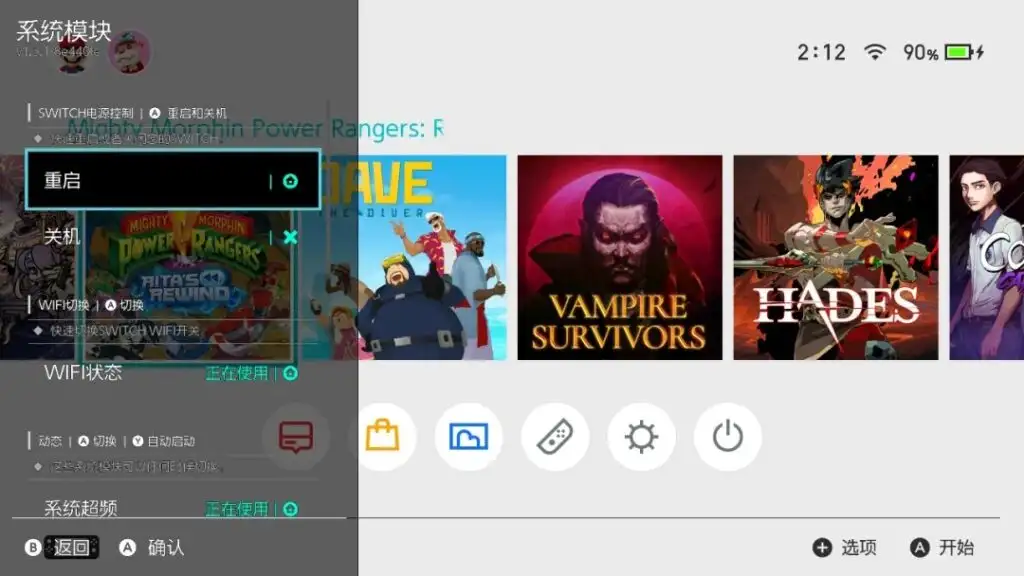
选择系统超频
![图片[5]-[NS]NetherPX2[PS2模拟器]-猫叔电玩](https://cdn.mst20.cn/maoshu/2026/11/20261113040944417-1024x576.webp)
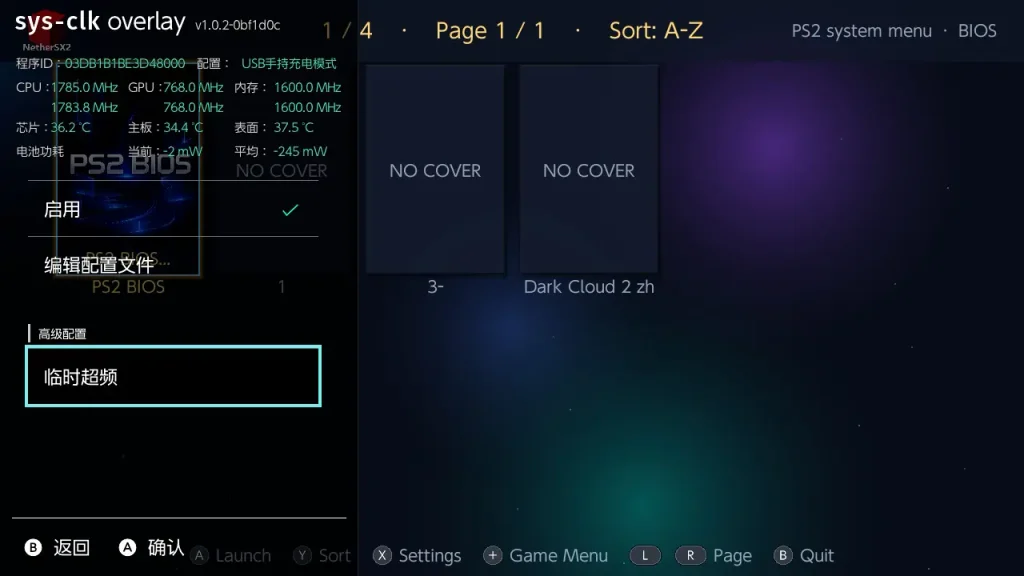
点击临时超频选项
![图片[6]-[NS]NetherPX2[PS2模拟器]-猫叔电玩](https://cdn.mst20.cn/maoshu/2026/11/20261113041010474.webp)
全部拉满就可以了然后退出特斯拉浮窗
![图片[7]-[NS]NetherPX2[PS2模拟器]-猫叔电玩](https://cdn.mst20.cn/maoshu/2026/11/20261113041028974.webp)
选择游戏按A键打开
![图片[8]-[NS]NetherPX2[PS2模拟器]-猫叔电玩](https://cdn.mst20.cn/maoshu/2026/11/20261113041050868.webp)
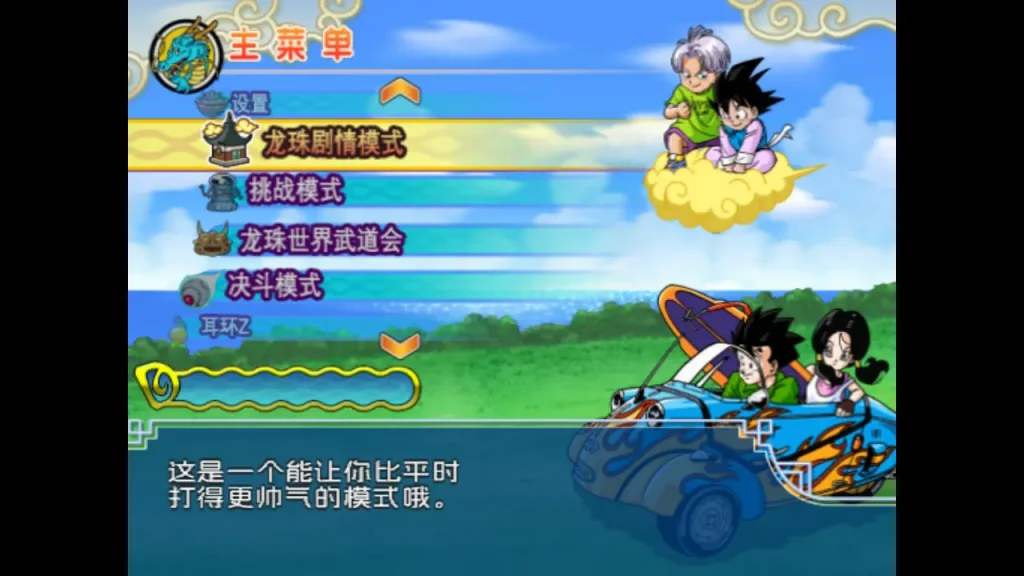
完美运行
![图片[9]-[NS]NetherPX2[PS2模拟器]-猫叔电玩](https://cdn.mst20.cn/maoshu/2026/11/20261113041106296.webp)
![[NS]NetherPX2[PS2模拟器]-猫叔电玩](https://cdn.mst20.cn/maoshu/2026/11/20261113041215237-scaled.webp)
![[NS]NetherPX2[PS2模拟器]](https://cdn.mst20.cn/maoshu/2026/11/20261113041215237-scaled.webp)
NS
190MB
一.工具安装下载压缩包解压后Switch文件夹覆盖到1盘根目录nsp前端拖入5盘安装 二.PS2游戏安装将下载的PS2游戏文件放到指定文件夹里 路径: Switch / NetherSX2 / games / 文件夹下 三.游戏运行回到桌面打开NetherSX2前端 打开后调出特斯拉...
一.工具安装
下载压缩包解压后Switch文件夹覆盖到1盘根目录nsp前端拖入5盘安装
![图片[1]-[NS]NetherPX2[PS2模拟器]-猫叔电玩](https://cdn.mst20.cn/maoshu/2026/11/20261113040729487.webp)
二.PS2游戏安装
将下载的PS2游戏文件放到指定文件夹里 路径: Switch / NetherSX2 / games / 文件夹下
![图片[2]-[NS]NetherPX2[PS2模拟器]-猫叔电玩](https://cdn.mst20.cn/maoshu/2026/11/20261113040812539-1024x439.webp)
三.游戏运行
回到桌面打开NetherSX2前端
![图片[3]-[NS]NetherPX2[PS2模拟器]-猫叔电玩](https://cdn.mst20.cn/maoshu/2026/11/20261113040844215.webp)
打开后调出特斯拉浮窗[L+R+▼]
![图片[4]-[NS]NetherPX2[PS2模拟器]-猫叔电玩](https://cdn.mst20.cn/maoshu/2026/11/20261113040926438.webp)
选择系统超频
![图片[5]-[NS]NetherPX2[PS2模拟器]-猫叔电玩](https://cdn.mst20.cn/maoshu/2026/11/20261113040944417-1024x576.webp)
点击临时超频选项
![图片[6]-[NS]NetherPX2[PS2模拟器]-猫叔电玩](https://cdn.mst20.cn/maoshu/2026/11/20261113041010474.webp)
全部拉满就可以了然后退出特斯拉浮窗
![图片[7]-[NS]NetherPX2[PS2模拟器]-猫叔电玩](https://cdn.mst20.cn/maoshu/2026/11/20261113041028974.webp)
选择游戏按A键打开
![图片[8]-[NS]NetherPX2[PS2模拟器]-猫叔电玩](https://cdn.mst20.cn/maoshu/2026/11/20261113041050868.webp)
完美运行
![图片[9]-[NS]NetherPX2[PS2模拟器]-猫叔电玩](https://cdn.mst20.cn/maoshu/2026/11/20261113041106296.webp)